> For the complete documentation index, see [llms.txt](https://doc.tokenpay.me/llms.txt). Markdown versions of documentation pages are available by appending `.md` to page URLs; this page is available as [Markdown](https://doc.tokenpay.me/tutorials/how-do-i-set-the-cash-register-currency-exchange-rate-difference.md).
# How do I set the cash register currency exchange rate difference?
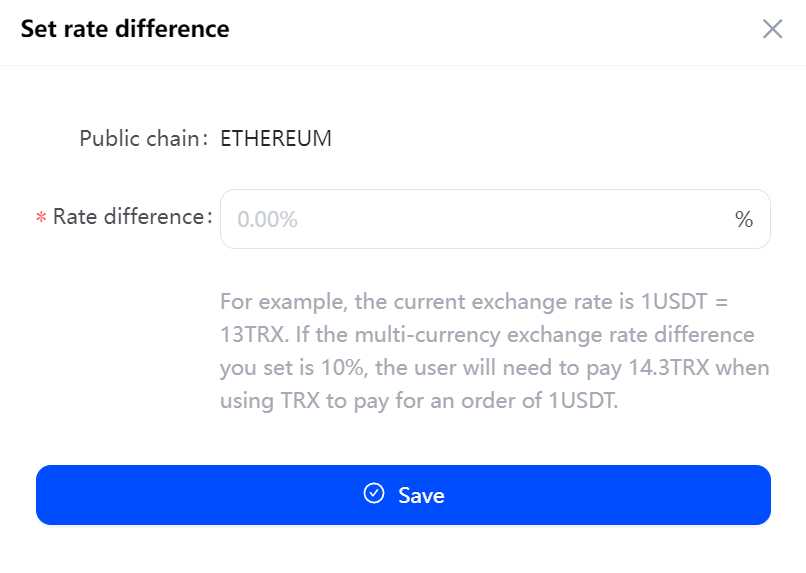
Setting the currency exchange rate difference can effectively minimize the risk of receiving insufficient amount due to exchange rate fluctuations. For example, the current exchange rate is 1USDT=13TRX, if you set the multi-currency exchange rate difference to 10%, when the user pays for a 1USDT order with TRX, he/she needs to pay 13+1.3=14.3TRX.
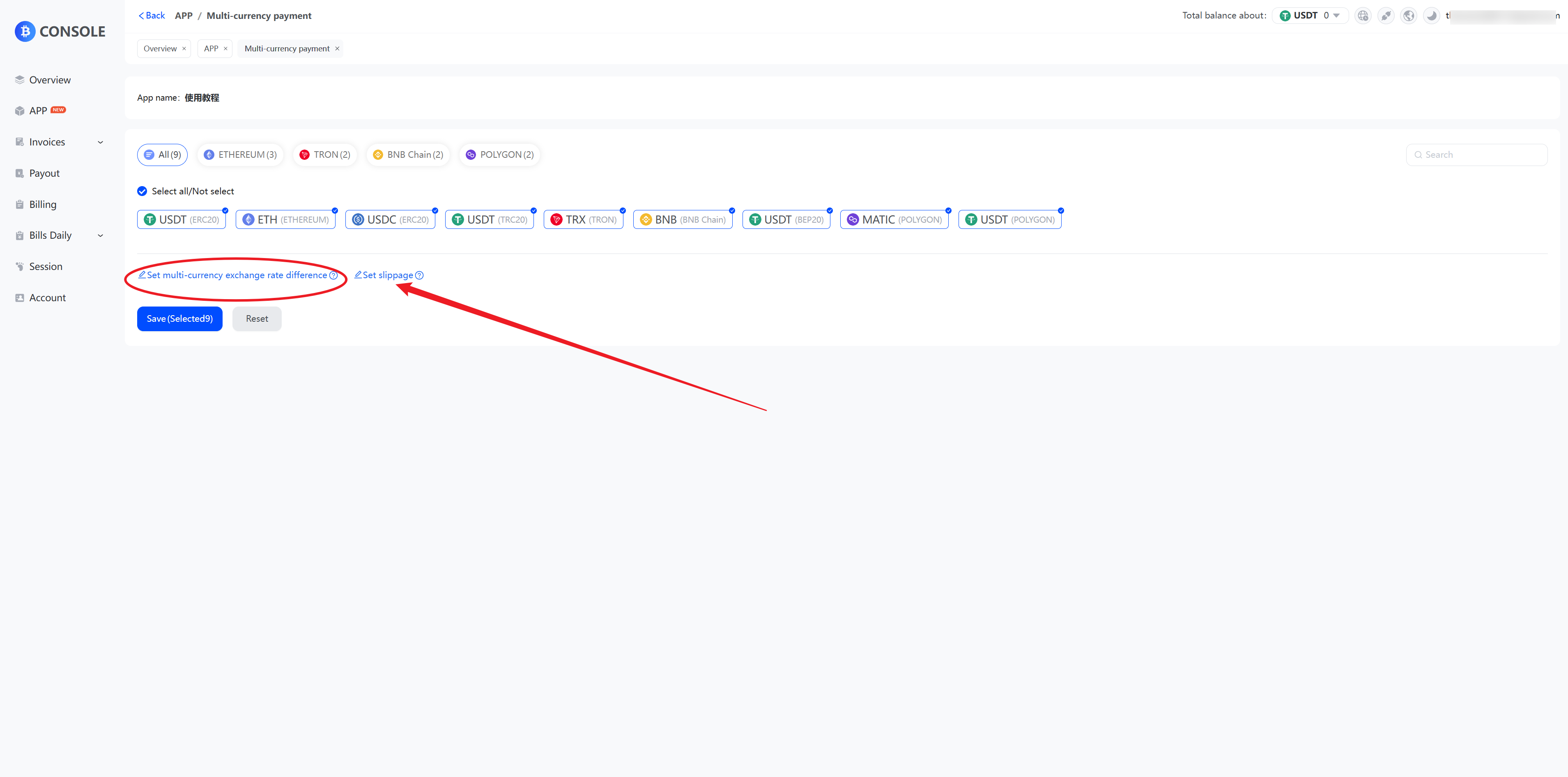
* **On the Multi-currency payments page, click “Set multi-currency exchange rate difference”.**
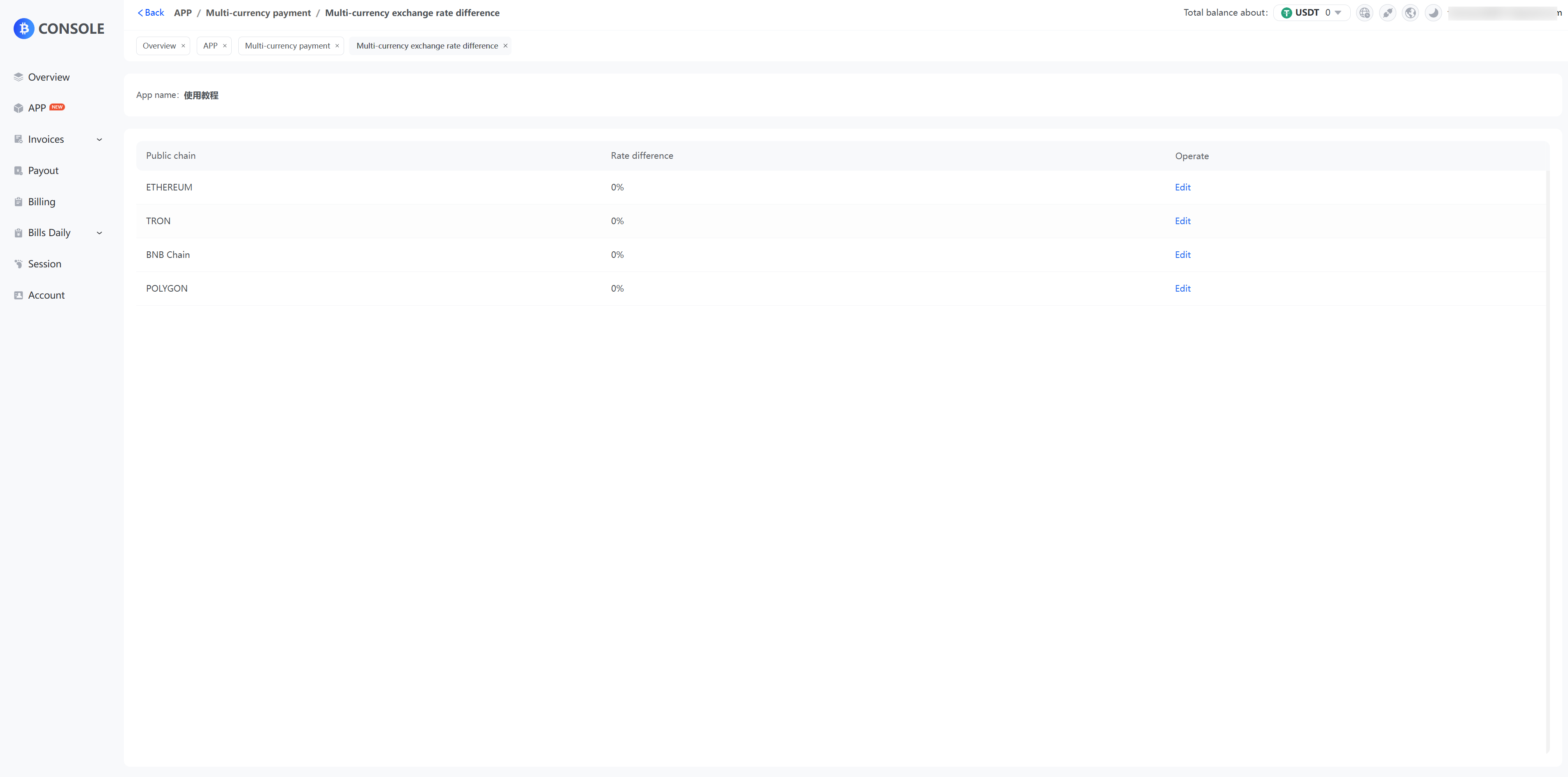
* **Select the public chain and click "Edit".**
* **Fill in the rate difference and click "Save".**